InformazioniTerminiPrivacyContatto
 
Aggiornamento
MotionBook - Draw & Animate

MotionBook - Draw & Animate

Data release: 2018-04-04
© 2018 Liang Peng
MotionBook - Draw & Animate - QR Code
Versione 1.7
4+
Scarica su App Store
Versione 1.7
4+
Scarica su App Store
Data release: 2018-04-04
© 2018 Liang Peng

Istantanee iPhone

Screenshot
Screenshot
Screenshot
Screenshot
Screenshot
Screenshot
Screenshot

Istantanee iPad

Screenshot
Screenshot
Screenshot
Screenshot
Screenshot
Screenshot

Descrizione

MotionBook is built for creative people like you, to discover the fun of making flipbook animations.
The MotionBook app provides a set of well designed digital tools for you to create the traditional frame-by-frame animations, on your iPad or iPhone:
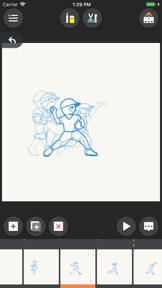
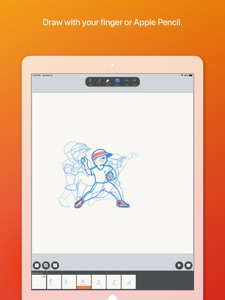
- A natural feel pen and eraser tool set, which provide various artistic effects include Pencil, Inking Pen, Marker, Paint Brush, Hard & Soft Erasers. And fully support pressure sensitivity of Apple Pencil.
- Convenient Undo/Redo.
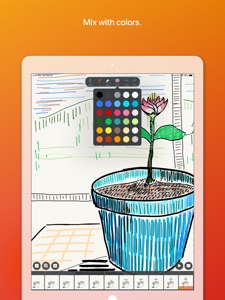
- Use predefined color palette, or customize your own palette.
- A "Timeline" to easily manage all your pages. And you can also customize FPS (Frames Per Second).
- The "Onion Skin" option allows you to see previous and next pages as reference.
- The advanced editing tools help you to quick tweak drawing details, copy drawings and paste to another page, or even paste images from other apps.
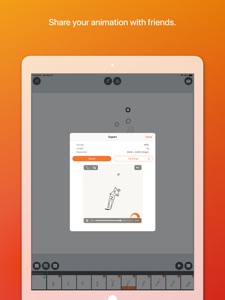
- Export your animation to video (mp4) or GIF, share to your friends, or even make your own stickers.
- Integrated with the iOS Files system, where you can easily manage all your flipbook files. You can also store your files to iCloud, and make them sync'd across your iPhones and iPads.
- Various sample templates to help you easily begin your journey to the animation world.
- Use a video clip as background, to help you learn to draw pose/gestures with real-world references. Or you can just add interesting hand-draw elements to your favorite videos.

Novità nella versione 1.7

VERSION 1.7 - Bucket Fill
With the Bucket Fill tool, coloring your characters (or backgrounds) becomes much easier than before.
You may find this new tool under the "Draw" tool set, and it's free for everyone.

Rivenditore

Informazioni

Sviluppatore

Categorie

Versione

1.7

Dimensione

10,2 MB

Game Center

No

VPP Device Licensing

Classifica

Classificazione: 4+

Compatibilità

iOS 15.0 o successivo

Dispositivi

iPhone 5s, iPhone 6, iPhone 6 Plus, iPhone 6s, iPhone 6s Plus, iPhone SE, iPhone 7, iPhone 7 Plus, iPhone 8, iPhone 8 Plus, iPhone X, iPhone XR, iPhone XS, iPhone XS Max, iPhone 11, iPhone 11 Pro, iPhone 11 Pro Max, iPhone SE (2a generazione), iPhone 12, iPhone 12 Pro, iPhone 12 Pro Max, iPhone 12 mini, iPhone 13, iPhone 13 Pro, iPhone 13 Pro Max, iPhone 13 mini, iPhone SE (3a generazione), iPhone 14, iPhone 14 Plus, iPhone 14 Pro, iPhone 14 Pro Max, iPhone 15, iPhone 15 Plus, iPhone 15 Pro, iPhone 15 Pro Max, iPad (5ª generazione) Wi-Fi, iPad (5ª generazione) Wi-Fi + Cellular, iPad (6a generazione) Wi-Fi, iPad (6a generazione) Wi-Fi + Cellular, iPad Pro, iPad Pro (Cellular), iPad Pro (9,7 pollici), iPad Pro (9,7 pollici) (Cellular), iPad Pro da 12,9 pollici (2a generazione), iPad Pro da 12,9 pollici (2a generazione) Wi-Fi + Cellular, iPad Pro da 10,5 pollici, iPad Pro da 10,5 pollici Wi-Fi + Cellular, iPad Pro da 11 pollici, iPad Pro da 11 pollici Wi-Fi + Cellular, iPad Pro da 12,9 pollici (3a generazione), iPad Pro da 12,9 pollici (3a generazione) Wi-Fi + Cellular, iPad Air, iPad Air (Cellular), iPad Air 2, iPad Air 2 (Cellular), iPad Air (terza generazione), iPad Air (terza generazione) Wi-Fi + Cellular, iPad mini Retina, iPad mini Retina (Cellular), iPad mini 3, iPad mini 3 (Cellular), iPad mini 4, iPad mini 4 (Cellular), iPad mini (5ª generazione), iPad mini (5ª generazione) Wi-Fi + Cellular, iPad (7ª generazione) Wi-Fi + Cellular, iPad Pro da 11 pollici (2a generazione), iPad Pro da 11 pollici (2a generazione) Wi-Fi + Cellular, iPad Pro da 12,9 pollici (4a generazione), iPad Pro da 12,9 pollici (4a generazione) Wi-Fi + Cellular, iPad Air (4ª generazione) (Wi-Fi), iPad Air (4ª generazione) (Wi-Fi + Cellular), iPad (8ª generazione) Wi-Fi, iPad (8ª generazione) Wi-Fi + Cellular, iPad Pro da 11 pollici (3a generazione), iPad Pro da 11 pollici (3a generazione) Wi-Fi + Cellular, iPad Pro da 12,9 pollici (5ª generazione), iPad Pro da 12,9 pollici (5ª generazione) Wi-Fi + Cellular, iPad (9ª generazione), iPad (9ª generazione) Wi-Fi + Cellular, iPad mini (6ª generazione), iPad mini (6ª generazione) Wi-Fi + Cellular, iPad Air (5a generazione), iPad Air (5a generazione) Wi-Fi + Cellular, iPad Pro da 11 pollici (4a generazione), iPad Pro da 11 pollici (4a generazione) Wi-Fi + Cellular, iPad Pro da 12,9 pollici (6a generazione), iPad Pro da 12,9 pollici (6a generazione) Wi-Fi + Cellular, iPad (10a generazione), iPad (10a generazione) Wi-Fi + Cellular, iPod touch (sesta generazione), iPod touch (7ª generazione)

Lingue

cinese, giapponese, inglese

App Store: Valutazione dei clienti

Valutazioni e recensioni

4,0 di 5 (10 valutazioni)

App Store: Recensioni clienti

2020-05-09

Nn so una cosa

Io appena apro l’app mi viene in cinese😐
Mi potete dire come cambiare la lingua da che parte tipo in alto a destra/sinistra ecc.?
EsterSelimi24PuffAmy❤️
Versione 1.6.1
2020-03-28

Carino🙂

L’app è molto carina ma quando disegno e ingrandisco mi sparisce il foglio e devo sempre ritornare indietro, per il resto carina
lenaw_09
Versione 1.6.1