Aggiornamento


Istantanee iPhone


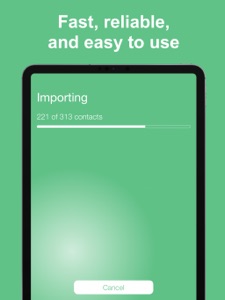
Istantanee iPad



Descrizione
6 REASONS TO USE THIS APP
- Easy to use
- Choose how to export your contacts
- Perfect for transferring contacts to a computer
- Designed with your privacy in mind
- No ads or hidden fees
- Highly rated with an average of 4.5 stars
Download it now, or read on to learn more...
EASY TO USE
Have your iPhone or iPad contacts saved as an Excel file in just 3 taps. Have a look at the screenshots and you will see how simple it is. Open the app, tap Continue, tap Export, select your export method, and you’re done!
MULTIPLE EXPORT METHODS
You can export the Excel file containing your contacts using email, SMS, iMessage, Dropbox, iCloud Drive, Slack, Evernote, and more. And of course, you can open the file directly in Excel if you have it installed on your iPhone or iPad.
UNLIMITED USE
You can back up and export your contacts as many times as you want.
SAFE AND PRIVATE
This app is 100% safe for your contacts. The backup and Excel export is done locally on your device. Unlike other apps, this one does not analyze or store your contacts on a remote server.
NO ADS OR HIDDEN FEES
Unlike similar applications, this app doesn’t display any ads or tries to charge you extra for services you don’t need.
WE LOVE FEEDBACK
If you like this app, please consider taking a minute to rate it in the App Store. If you don’t like the app, please contact us and let us know how we can make it better.
Novità nella versione 1.7
This update makes the export to Excel process faster if you have a large amount of contacts.
Rivenditore
Nome
New Marketing Lab, Inc
Informazioni
Sviluppatore
Categorie
Versione
1.7
Dimensione
17,1 MB
Game Center
No
VPP Device Licensing
Sì
Classifica
Classificazione: 4+
Compatibilità
iOS 10.3 o successivo
Dispositivi
iPhone 5, iPhone 5c, iPhone 5s, iPhone 6, iPhone 6 Plus, iPhone 6s, iPhone 6s Plus, iPhone SE, iPhone 7, iPhone 7 Plus, iPhone 8, iPhone 8 Plus, iPhone X, iPhone XR, iPhone XS, iPhone XS Max, iPhone 11, iPhone 11 Pro, iPhone 11 Pro Max, iPhone SE (2a generazione), iPhone 12, iPhone 12 Pro, iPhone 12 Pro Max, iPhone 12 mini, iPad (4ª generazione) (Wi-Fi), iPad (4ª generazione) (4G), iPad (5ª generazione) Wi-Fi, iPad (5ª generazione) Wi-Fi + Cellular, iPad (6a generazione) Wi-Fi, iPad (6a generazione) Wi-Fi + Cellular, iPad Pro, iPad Pro (Cellular), iPad Pro (9,7 pollici), iPad Pro (9,7 pollici) (Cellular), iPad Pro da 12,9 pollici (2a generazione), iPad Pro da 12,9 pollici (2a generazione) Wi-Fi + Cellular, iPad Pro da 10,5 pollici, iPad Pro da 10,5 pollici Wi-Fi + Cellular, iPad Pro da 11 pollici, iPad Pro da 11 pollici Wi-Fi + Cellular, iPad Pro da 12,9 pollici (3a generazione), iPad Pro da 12,9 pollici (3a generazione) Wi-Fi + Cellular, iPad Air, iPad Air (Cellular), iPad Air 2, iPad Air 2 (Cellular), iPad Air (terza generazione), iPad Air (terza generazione) Wi-Fi + Cellular, iPad mini Retina, iPad mini Retina (Cellular), iPad mini 3, iPad mini 3 (Cellular), iPad mini 4, iPad mini 4 (Cellular), iPad mini (5ª generazione), iPad mini (5ª generazione) Wi-Fi + Cellular, iPad (7ª generazione) Wi-Fi + Cellular, iPad Pro da 11 pollici (2a generazione), iPad Pro da 11 pollici (2a generazione) Wi-Fi + Cellular, iPad Pro da 12,9 pollici (4a generazione), iPad Pro da 12,9 pollici (4a generazione) Wi-Fi + Cellular, iPad Air (4ª generazione) (Wi-Fi), iPad Air (4ª generazione) (Wi-Fi + Cellular), iPad (8ª generazione) Wi-Fi, iPad (8ª generazione) Wi-Fi + Cellular, iPod touch (sesta generazione), iPod touch (7ª generazione)
Lingue
inglese
App Store: Valutazione dei clienti
Valutazioni e recensioni
0,0 di 5 (Nessuna valutazione)
App Store: Recensioni clienti
Nessuna voce