Aggiornamento


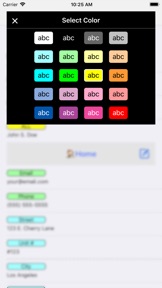
Istantanee iPhone



Istantanee iPad





Descrizione
Keyboard Macros PRO is an easy-to-use yet very powerful keyboard macro app that lets you, with one tap, retype text and phrases that you use often.
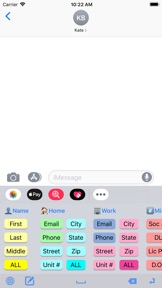
For example, when ordering items on the web, you can quickly enter your email address, name, address, etc., with just a single tap.
The app comes with dozens of example macros to get your mind working on the many creative ways you can use the app.
Here are just a few examples of who Keyboard Macros PRO is great for:
• SALESPEOPLE who repeatedly email or text message with the same replies.
• SINGLES using TINDER or other dating apps to quickly ask and reply to typical dating questions. No more typing the same thing over, and over, and over...
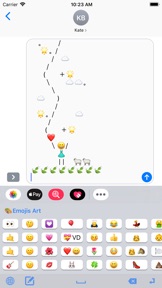
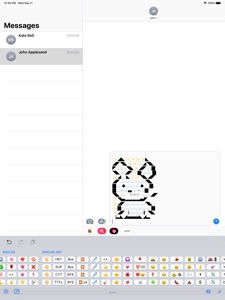
• JUST FOR FUN with text messaging your favorite EMOJIS, EMOJI ART, ASCII ART and even loads of JOKES and KNOCK KNOCK JOKES that come pre-installed.
• CUSTOMER SUPPORT reps to quickly respond with answers to common questions.
• UBER/LYFT DRIVERS to quickly text riders with usual replies.
• AIRBNB HOSTS to quickly email or text message guests with check-in instructions.
• EVERYONE! You'll be surprised all the creative ways you'll find to use it.
Check out these great features!
• KEYBOARD EXTENSION: Insert large amounts of text into any app with one tap from keyboard.
• ALL APPS: Works with iMessage, Email, Tinder, Kik, and virtually any app.
• iCLOUD: Saves your text shortcuts to iCloud so they can be shared between devices.
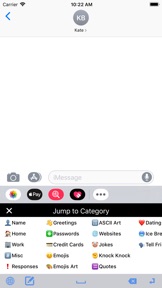
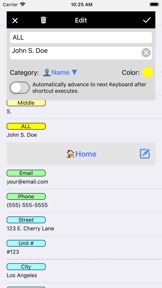
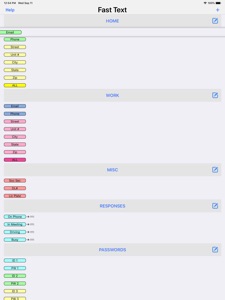
• CATEGORIES: Organize your shortcuts into unlimited Categories.
• DRAG N DROP: Reorder Shortcuts and Categories by simply dragging and dropping them.
• PRE-LOADED EXAMPLES: Comes pre-loaded with dozens of examples, including Emojis, Emoji Art, ASCII Art, Jokes, etc.
Here are the example categories that come pre-loaded with the app:
• Name (first, last, full, etc.)
• Home (email, phone, address, etc.)
• Work (email, phone, address, etc.)
• Misc. (Soc. Security number, DL number, License Plate number, etc.)
• Responses (on phone, in meeting, etc.)
• Greetings (good morning, good night, etc.)
• Passwords
• Credit Cards
• Emojis
• Emoji Art
• ASCII Art
• Websites (Facebook, Twitter, LinkedIn, etc.)
• Jokes
• Knock, Knock Jokes
• Quotes
• Dating Responses
• Dating Ice Breakers
TO INSTALL THE KEYBOARD EXTENSION:
Run your device's Settings app, then go to General > Keyboard > Keyboards > Add a New Keyboard... > Macros PRO.
NEED HELP?
Run the app and tap the Help button for a tutorial video that shows you how to turn on the keyboard extension as well as adding and editing the macros.
Also, feel free to contact us anytime at support@clipish.net
Novità nella versione 1.04
Thank you for making Keyboard Macros Pro such a hit! Remember...High ratings keep us motivated to keep adding more animations and features. :-)
Here's what's new in this update:
* Previously, anytime you would bring up the keyboard, it would start at the first category. Now, the keyboard extension will remember the last category you jumped to, and go directly to that category the next time the keyboard is pulled up. This is a handy feature to save you keystrokes in selecting the same category over and over if you are using the same one for a particular project. For example, if you tend to use the Emoji category a lot, it will always jump directly to that category anytime you bring up the category, until you jump to a different category, and then it will start jumping to that one. It all happens naturally and without any thought on your part, but you’ll see it can save you a lot of tapping with this new feature. Enjoy!
* Misc. bug fixes and enhancements.
Rivenditore
Nome
Dating DNA, Inc.
Informazioni
Sviluppatore
Categorie
Versione
1.04
Dimensione
23,3 MB
Game Center
No
VPP Device Licensing
Sì
Classifica
Classificazione: 4+
Compatibilità
iOS 10.0 o successivo
Dispositivi
iPhone 5, iPhone 5c, iPhone 5s, iPhone 6, iPhone 6 Plus, iPhone 6s, iPhone 6s Plus, iPhone SE, iPhone 7, iPhone 7 Plus, iPhone 8, iPhone 8 Plus, iPhone X, iPhone XR, iPhone XS, iPhone XS Max, iPhone 11, iPhone 11 Pro, iPhone 11 Pro Max, iPhone SE (2a generazione), iPhone 12, iPhone 12 Pro, iPhone 12 Pro Max, iPhone 12 mini, iPhone 13, iPhone 13 Pro, iPhone 13 Pro Max, iPhone 13 mini, iPhone SE (3a generazione), iPhone 14, iPhone 14 Plus, iPhone 14 Pro, iPhone 14 Pro Max, iPhone 15, iPhone 15 Plus, iPhone 15 Pro, iPhone 15 Pro Max, iPhone 16, iPhone 16Plus, iPhone 16Pro, iPhone 16ProMax, iPad (4ª generazione) (Wi-Fi), iPad (4ª generazione) (4G), iPad (5ª generazione) Wi-Fi, iPad (5ª generazione) Wi-Fi + Cellular, iPad (6a generazione) Wi-Fi, iPad (6a generazione) Wi-Fi + Cellular, iPad Pro, iPad Pro (Cellular), iPad Pro (9,7 pollici), iPad Pro (9,7 pollici) (Cellular), iPad Pro da 12,9 pollici (2a generazione), iPad Pro da 12,9 pollici (2a generazione) Wi-Fi + Cellular, iPad Pro da 10,5 pollici, iPad Pro da 10,5 pollici Wi-Fi + Cellular, iPad Pro da 11 pollici, iPad Pro da 11 pollici Wi-Fi + Cellular, iPad Pro da 12,9 pollici (3a generazione), iPad Pro da 12,9 pollici (3a generazione) Wi-Fi + Cellular, iPad Air, iPad Air (Cellular), iPad Air 2, iPad Air 2 (Cellular), iPad Air (terza generazione), iPad Air (terza generazione) Wi-Fi + Cellular, iPad mini Retina, iPad mini Retina (Cellular), iPad mini 3, iPad mini 3 (Cellular), iPad mini 4, iPad mini 4 (Cellular), iPad mini (5ª generazione), iPad mini (5ª generazione) Wi-Fi + Cellular, iPad (7ª generazione) Wi-Fi + Cellular, iPad Pro da 11 pollici (2a generazione), iPad Pro da 11 pollici (2a generazione) Wi-Fi + Cellular, iPad Pro da 12,9 pollici (4a generazione), iPad Pro da 12,9 pollici (4a generazione) Wi-Fi + Cellular, iPad Air (4ª generazione) (Wi-Fi), iPad Air (4ª generazione) (Wi-Fi + Cellular), iPad (8ª generazione) Wi-Fi, iPad (8ª generazione) Wi-Fi + Cellular, iPad Pro da 11 pollici (3a generazione), iPad Pro da 11 pollici (3a generazione) Wi-Fi + Cellular, iPad Pro da 12,9 pollici (5ª generazione), iPad Pro da 12,9 pollici (5ª generazione) Wi-Fi + Cellular, iPad (9ª generazione), iPad (9ª generazione) Wi-Fi + Cellular, iPad mini (6ª generazione), iPad mini (6ª generazione) Wi-Fi + Cellular, iPad Air (5a generazione), iPad Air (5a generazione) Wi-Fi + Cellular, iPad Pro da 11 pollici (4a generazione), iPad Pro da 11 pollici (4a generazione) Wi-Fi + Cellular, iPad Pro da 12,9 pollici (6a generazione), iPad Pro da 12,9 pollici (6a generazione) Wi-Fi + Cellular, iPad (10a generazione), iPad (10a generazione) Wi-Fi + Cellular, iPad Air da 11 pollici (M2) Wi-Fi, iPad Air da 13 pollici (M2) Wi-Fi, iPad Air da 13 pollici (M2) Wi-Fi + Cellular, iPad Pro da 11 pollici (M4) Wi-Fi, iPad Pro da 11 pollici (M4) Wi-Fi + Cellular, iPad Pro da 13 pollici (M4) Wi-Fi, iPad Pro da 13 pollici (M4) Wi-Fi + Cellular, iPad MiniA17Pro, iPad MiniA17ProCellular, iPod touch (sesta generazione), iPod touch (7ª generazione)
Lingue
inglese
App Store: Valutazione dei clienti
Valutazioni e recensioni
0,0 di 5 (Nessuna valutazione)
App Store: Recensioni clienti
Nessuna voce