Aggiornamento


Istantanee iPhone


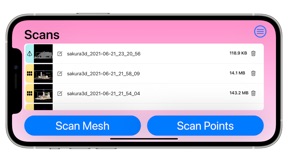


Istantanee iPad


Descrizione
Scanning and exporting data utilizing Sakura3D SCAN can come in handy for various fields.
For example, plants can acquire the current status of pipes and other factory equipment, while construction and civil engineering firms can utilize Sakura3D SCAN in topographical surveys and construction progress management.
Import your scanned data into our point cloud modeling software "ClassNK-PEERLESS" and create 3D models that can be imported into various CAD systems.
■ Export format
Point cloud: ASC, TXT, PTS
Mesh: OBJ, STL
■ Sakura3D SCAN requires the LiDAR sensor for scanning, as a result we only support the following devices
iPhone 14 Pro Max
iPhone 14 Pro
iPhone 13 Pro Max
iPhone 13 Pro
iPhone 12 Pro Max
iPhone 12 Pro
iPad Pro 12.9 inch (6th generation)
iPad Pro 11 inch (4th generation)
iPad Pro 12.9 inch (5th generation)
iPad Pro 11 inch (3rd generation)
iPad Pro 12.9 inch (4th generation)
iPad Pro 11 inch (2nd generation)
■ Difference between a free plan and subscriptions
All features except file export can be used for free.
File export is also free under following conditions.
・Point cloud: less than 500K points
・Mesh: less than 50K vertices
・Unlimited export: Once every 24h
With a subscription, there is no limit to the number of scans you can export.
■ FAQ
・ How can I increase the quality of my scans?
When measuring please try to move slowly and avoid shaking the device.
Please try to avoid measuring the same location twice. The trick is not to scan the same point over and over again.
The following are some of the factors that can hinder a good scan:
- When the object is a transparent object made of glass, a shiny metal object, a mirror, etc.
- When the distance to the object to be scanned is too short (within 10 to 20 cm)
・I don't know which scan accuracy to use.
Scan accuracy depends on the scan target, scan environment, and setting method.
For a personalized inquiry please send an email to sakura3d@armonicos.co.jp with your target, environment and setting method.
・What distance allows for an accurate measurement?
The recommended distance is within 5m.
・How many points can be obtained in each scan?
You can get up to 25 million points.
・Is it possible to check the number of points during a scan?
The number of acquired points is displayed on the screen, during a scan, with the following color encoding as a guideline for memory usage: "green (low)-> yellow (medium)-> red (high)" .
・I don't know how to export data.
There are two methods, one is via the Internet using Dropbox, AirDrop, email, various SNS, or Google Drive, and the other is to connect the
device (iPhone, iPad) directly to the PC with a cable and copy the data using iTunes.
・Can the output data be imported into other software?
Data created with Sakura3D SCAN can be imported into any software that supports point cloud formats (ASC, TXT,PTS) or mesh formats (STL, OBJ).
It can also be imported into our software packages: spGate, spGauge, spScan, and ClassNK-PEERLESS.
Sakura3D SCAN Terms of Service (ToS)
https://www.armonicos.co.jp/shop/sakura-tos/
Novità nella versione 2.13.5
(英)
Modified:
・Main screen: Changed to require agreement to the Terms of Services after updating it.
New feature(Only for subscriber):
・Added ability to approximate center of gravity point and volume.
Rivenditore
Nome
Armonicos Co., Ltd.
Informazioni
Sviluppatore
Categorie
Versione
2.13.5
Dimensione
57,4 MB
Game Center
No
VPP Device Licensing
Sì
Classifica
Classificazione: 4+
Compatibilità
iOS 14.0 o successivo
Dispositivi
iPhone XR, iPhone XS, iPhone XS Max, iPhone 11, iPhone 11 Pro, iPhone 11 Pro Max, iPhone SE (2a generazione), iPhone 12, iPhone 12 Pro, iPhone 12 Pro Max, iPhone 12 mini, iPhone 13, iPhone 13 Pro, iPhone 13 Pro Max, iPhone 13 mini, iPhone SE (3a generazione), iPhone 14, iPhone 14 Plus, iPhone 14 Pro, iPhone 14 Pro Max, iPhone 15, iPhone 15 Plus, iPhone 15 Pro, iPhone 15 Pro Max, iPhone 16, iPhone 16Plus, iPhone 16Pro, iPhone 16ProMax, iPad Pro da 11 pollici, iPad Pro da 11 pollici Wi-Fi + Cellular, iPad Pro da 12,9 pollici (3a generazione), iPad Pro da 12,9 pollici (3a generazione) Wi-Fi + Cellular, iPad Air (terza generazione), iPad Air (terza generazione) Wi-Fi + Cellular, iPad mini (5ª generazione), iPad mini (5ª generazione) Wi-Fi + Cellular, iPad Pro da 11 pollici (2a generazione), iPad Pro da 11 pollici (2a generazione) Wi-Fi + Cellular, iPad Pro da 12,9 pollici (4a generazione), iPad Pro da 12,9 pollici (4a generazione) Wi-Fi + Cellular, iPad Air (4ª generazione) (Wi-Fi), iPad Air (4ª generazione) (Wi-Fi + Cellular), iPad (8ª generazione) Wi-Fi, iPad (8ª generazione) Wi-Fi + Cellular, iPad Pro da 11 pollici (3a generazione), iPad Pro da 11 pollici (3a generazione) Wi-Fi + Cellular, iPad Pro da 12,9 pollici (5ª generazione), iPad Pro da 12,9 pollici (5ª generazione) Wi-Fi + Cellular, iPad (9ª generazione), iPad (9ª generazione) Wi-Fi + Cellular, iPad mini (6ª generazione), iPad mini (6ª generazione) Wi-Fi + Cellular, iPad Air (5a generazione), iPad Air (5a generazione) Wi-Fi + Cellular, iPad Pro da 11 pollici (4a generazione), iPad Pro da 11 pollici (4a generazione) Wi-Fi + Cellular, iPad Pro da 12,9 pollici (6a generazione), iPad Pro da 12,9 pollici (6a generazione) Wi-Fi + Cellular, iPad (10a generazione), iPad (10a generazione) Wi-Fi + Cellular, iPad Air da 11 pollici (M2) Wi-Fi, iPad Air da 13 pollici (M2) Wi-Fi, iPad Air da 13 pollici (M2) Wi-Fi + Cellular, iPad Pro da 11 pollici (M4) Wi-Fi, iPad Pro da 11 pollici (M4) Wi-Fi + Cellular, iPad Pro da 13 pollici (M4) Wi-Fi, iPad Pro da 13 pollici (M4) Wi-Fi + Cellular, iPad MiniA17Pro, iPad MiniA17ProCellular
Lingue
arabo, cinese, coreano, francese, giapponese, inglese
App Store: Valutazione dei clienti
Valutazioni e recensioni
0,0 di 5 (Nessuna valutazione)
App Store: Recensioni clienti
Nessuna voce