InformazioniTerminiPrivacyContatto
 
Aggiornamento
IFR Flight Trainer Simulator

IFR Flight Trainer Simulator

Data release: 2014-12-11
© Flygo-Aviation Ltd
IFR Flight Trainer Simulator - QR Code
Versione 8.4
4+
Scarica su App Store
Versione 8.4
4+
Scarica su App Store
Data release: 2014-12-11
© Flygo-Aviation Ltd

Istantanee iPhone

Screenshot
Screenshot
Screenshot
Screenshot
Screenshot
Screenshot
Screenshot

Istantanee iPad

Screenshot
Screenshot
Screenshot
Screenshot
Screenshot
Screenshot
Screenshot

Descrizione

Flying by instrument flight rules (IFR) is not an easy task for student pilots. With IFR Flight Trainer Simulator aviation students and pilots will develop and improve their instrument navigation understanding and accuracy.
The app is a very helpful for training and practicing IFR arrival and approach procedures (and miles cheaper than a flight hour).
IFR Flight Trainer Simulator is a well-designed instrument procedure trainer for every AVIATION PILOT, both newbies, doing his initial nav training and experienced avionics captain. But it also a good tool if you are about to acquire an IR (Instrument Rating) or just brushing up your IFR skills.
It is a unique navigation simulator app both in simplicity and operability.
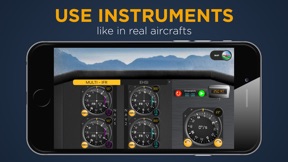
The AVIONICS INSTRUMENTS available are: VOR, RMI, HSI, EHSI, ADF, DME the Directional Gyro and the airspeed indicator. Thanks to a NAV 1 and a NAV 2, you will also be able to train for 2 NDB/VOR approaches.
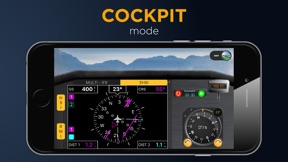
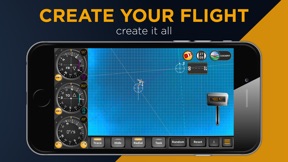
COCKPIT/MAP: Use the cockpit mode to practice or use the map mode to check you progress. If needed, both the aircraft and stations can be easily moved to a new position by 'drag and drop' to practice customized instrument approach procedures from a different positions.
VOR, NDB, HIS, EHSI, RMI: This aviation app is carefully designed to reflect the characteristics of different instruments: choose between VOR and NDB navigation, select the instruments (HSI or RMI) and a speed range up to 400 kts.
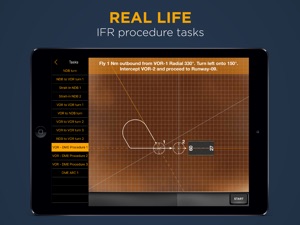
APPROACH PROCEDURE: IFR Flight Trainer Simulator will help learn how to track a radial, how to intercept a radial outbound, inbound, how to fly a DME arc, and so on. It is a great way for student to prepare and get to know the navigation procedure inside out!
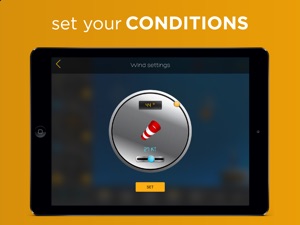
WIND: Have you became familiar with the procedures? Add wind to increase the challenge! The wind settings are displayed on separate screen where you can set its direction and speed.
HOLDING: Set and practice standard or non standard holding patterns. Test you skills with VOR, DME or NDB holdings.
You know where your next flight will be? Make your own procedures for it. They can be based on real-life scenarios you expect to find yourself in. This way you can practice them in a safe environment before facing the real challenge in the cockpit.
IFR FLIGHT Trainer offers a flexible flight training environment to create any conditions of instrument flying. If you would like to check your IFR flying approach, look at one of the IFR Flight Trainer’s in-built tasks.
IFR Flight Trainer features
• Use the classic or glass cockpit mode to recreate what you would see in a real aircraft or
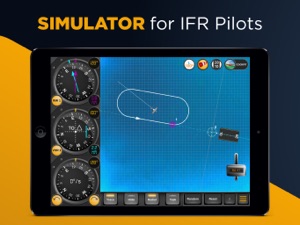
• Use the map mode to learn and understand the procedures
• Choose between VOR and NDB navigation and use carefully designed instruments
• The interactive training system contains the following instruments:
RMI, HSI, EHSI, Directional gyro, DME, Airspeed indicator and ADF
• Customize your own missions by creating holding patterns and adjusting the wind how you want, or test your knowledge through different in-built tasks
• Do you want to change the aircraft’s position? Just drag & drop the aircraft symbol
• Turn with the dial or choose between 3°/s (standards), 6°/s and 9°/s modes
• Aircraft track trail can be displayed, or suppressed
• Wind simulation
• Radio beacons can be easily moved to a new position by drag and drop to practice instrument approach procedure
• Practice IFR flying procedures by generating random scenarios
Our approach to instrument flying is unique. See how we help you to learn (if you are an instructor to teach) IFR navigation. Prepare yourself without wasting expensive flight- or simulator time.
Download our pilot friendly app now to gain instrument pilot proficiency.
Don’t miss an opportunity to try out our Pilot trainer IFR pack too. This interactive IFR trainer app is a step by step system, which will teach you how to use IFR instruments in real flying conditions.

Novità nella versione 8.4

• bug fixes

Rivenditore

Nome

Flygo-Aviation Ltd

URL

Informazioni

Sviluppatore

Categorie

Versione

8.4

Dimensione

40,6 MB

Game Center

No

VPP Device Licensing

Classifica

Classificazione: 4+

Compatibilità

iOS 13.0 o successivo

Dispositivi

iPhone 5s, iPhone 6, iPhone 6 Plus, iPhone 6s, iPhone 6s Plus, iPhone SE, iPhone 7, iPhone 7 Plus, iPhone 8, iPhone 8 Plus, iPhone X, iPhone XR, iPhone XS, iPhone XS Max, iPhone 11, iPhone 11 Pro, iPhone 11 Pro Max, iPhone SE (2a generazione), iPad (5ª generazione) Wi-Fi, iPad (5ª generazione) Wi-Fi + Cellular, iPad (6a generazione) Wi-Fi, iPad (6a generazione) Wi-Fi + Cellular, iPad Pro, iPad Pro (Cellular), iPad Pro (9,7 pollici), iPad Pro (9,7 pollici) (Cellular), iPad Pro da 12,9 pollici (2a generazione), iPad Pro da 12,9 pollici (2a generazione) Wi-Fi + Cellular, iPad Pro da 10,5 pollici, iPad Pro da 10,5 pollici Wi-Fi + Cellular, iPad Pro da 11 pollici, iPad Pro da 11 pollici Wi-Fi + Cellular, iPad Pro da 12,9 pollici (3a generazione), iPad Pro da 12,9 pollici (3a generazione) Wi-Fi + Cellular, iPad Air, iPad Air (Cellular), iPad Air 2, iPad Air 2 (Cellular), iPad Air (terza generazione), iPad Air (terza generazione) Wi-Fi + Cellular, iPad mini Retina, iPad mini Retina (Cellular), iPad mini 3, iPad mini 3 (Cellular), iPad mini 4, iPad mini 4 (Cellular), iPad mini (5ª generazione), iPad mini (5ª generazione) Wi-Fi + Cellular, iPad (7ª generazione) Wi-Fi + Cellular, iPad Pro da 11 pollici (2a generazione), iPad Pro da 11 pollici (2a generazione) Wi-Fi + Cellular, iPad Pro da 12,9 pollici (4a generazione), iPad Pro da 12,9 pollici (4a generazione) Wi-Fi + Cellular, iPad Air (4ª generazione) (Wi-Fi), iPad Air (4ª generazione) (Wi-Fi + Cellular), iPad (8ª generazione) Wi-Fi, iPad (8ª generazione) Wi-Fi + Cellular, iPod touch (sesta generazione), iPod touch (7ª generazione)

Lingue

inglese

App Store: Valutazione dei clienti

Valutazioni e recensioni

4,5 di 5 (20 valutazioni)

App Store: Recensioni clienti

2019-03-04

Fantastico

Con il modo cockpit è possibile simulare una situazione IFR reale. Ne vale assolutamente il prezzo.
Tommaso De luca
Versione 6.8
2019-03-04

Grande differenza tra i livelli facili e avanzati

Consiglio quest'applicazione sia ai principianti che ai piloti esperti. Penso che ognuno troverà le proprie sfide di volo IFR in quest'applicazione.
Dott. Grazia Colombo
Versione 6.8
2019-03-03

Opzione random

Quest'applicazione di simulazione ha un'opzione random che riposiziona l'aereo in modo randomizzato. Questo può essere una vera sfida.
Michele4Bianco
Versione 6.8
2019-03-03

Circuiti di attesa

Ci sono molte configurazioni e funzioni che possono essere attivate e disattivate. Mi piace moltissimo. Consiglio ad altri piloti di scaricare quest'applicazione e di praticare i circuiti di attesa.
Amos Romano
Versione 6.8
2019-03-02

FlyGo ha le migliori applicazioni

Se vuoi praticare, quest'applicazione è molto utile insieme ad altre applicazioni di formazione di FlyGo.
Sig. Pacifico Carbone
Versione 6.8
2019-03-02

Applicazione utile e gratuita

Penso che sia davvero utile e ci sono anche molte funzioni disponibili. Credo che ogni pilota dovrebbe usare un'applicazione di simulazione come questa.
Guido Neri
Versione 6.8
2019-03-01

Molto bravo

L'applicazione ha una funzione che permette di nascondere l'aereo che può essere una vera sfida per i piloti. Questa funzione aiuta quando si apprende il volo IFR.
Eufemia Martini
Versione 6.8
2019-03-01

Esercizi interessanti

Quest'applicazione permette di personalizzare gli strumenti e le circostanze di volo, in modo che io posso fissare i miei obiettivi. Posso anche impostare la forza e la direzione del vento!
Patrizio Pagano
Versione 6.8
2019-02-28

Atterraggio con IFR

Quando si tratta di atterraggio, delle situazioni complesse possono succedere ed i piloti possono contare solo su degli strumenti. Quest'applicazione di simulazione aiuta i futuri piloti ad esercitarsi per i loro esami IFR.
Skiff_mus
Versione 6.8
2019-02-28

C'è un modo mappa e un modo cockpit

Un'applicazione molto semplice e utile se si vuole praticare il volo IFR.
Gianmarco Gentile
Versione 6.8
2019-02-27

Ottimo per praticare

Quest'applicazione aiuta molto gli studenti e i piloti a praticare il volo IFR. La funzione cockpit mi è piaciuta molto: ha creato un'esperienza di volo molto realistica.
SamuelPellegrini54
Versione 6.8
2019-02-27

La migliore applicazione di simulazione di volo IFR

Ci sono molte possibilità di configurazione e anche di esercizi pratici. Quest'applicazione mi aiuta molto a capire i voli IFR.
Mietta Ferrara
Versione 6.8
2019-02-26

Interfaccia user-friendly

Tutto può essere personalizzato per imitare le reali circostanze di volo, ad esempio la pista dell'aeroporto o il vento. Lo consiglio ad altri piloti.
Italo Milani
Versione 6.8
2019-02-26

Funziona benissimo su iPad

Un'ottima e dettagliata applicazione di simulazione che ti aiuta molto quando pratichi il volo IFR.
Maika De Angelis
Versione 6.8
2016-05-08

Non funziona

O meglio, funziona bene solamente il popup che ti dice di pagare per avere le funzionalità!!! Bah
cardiuca
Versione 3.1